elinovy wrote:
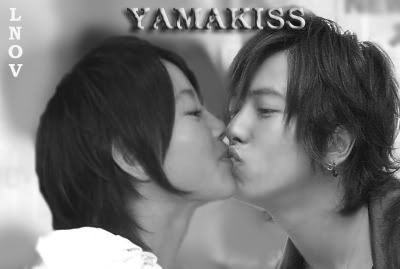
Actually I'm trying to make Maki's picture blend with the background...
So I tried to make the edges smooth by blurring....BUt it seems like I blur too much part in Maki's hand and I just have notice it after many works that I have done in the picture...so I can't undo it anymore...Even If It's possible,how about my other works?...it will also be gone and I have to repeat again...,so I try not to undo. :sweat:
I can't use the history brush because my main page was Yamapi's picture...so If I ever use it...Maki's body will be erased...not just the blur thing....see what happened in Maki's breast...I accidentally run history brush there that's why....Maki's breast was somekinda erased. :crazy: :rofl:
Have you tried doing a mask, and then feathering the outline? (by feathering you can blur without worrying about doing it freehand and ending up with what happened to you with maki's finger)
Now you also referred to "undo", I think is very important to do so as you do work on a picture cause then you will end up exactly with this type of problem (where the history might be flooded with previous actions and you can't get back to where the error occured). Also once a major blur/smudge has occurred, is not going to be easy to fix it by hand, and not using undo is just slowing yourself down.
In conclusion there are MANY ways to do what you trying to accomplish.
They range from super easy to more complicated.
1)Magnetic Lasso (easiest way ever to cut someone out, but doesn't take alpha channels into account, plus around the hair it can be quite sloppy)
2)Quick Mask (pretty straight forward approach)
3)Layer Mask (takes more freehand work, but can always be undo whenever a mistake is made and return previous background in a flash)
4)Extract Filter (quick way and very effective, beats erasing background hehe) Is probably my favorite way.
Here is an example (keep in mind I hardly ever mess with people/objects in photoshop as I draw/design things mostly myself).
ORIGINAL
Note: Picked this picture because is a very complex background which is hell to remove and also the hair on the right is impossible to select with lasso tool. (also cause it was one of the first pictures I found on my hardrive and is one of favorites lol) If the original was to have a white background, it would have been cake, cause the contrast is amazing.
[image]
AFTER
Note: Picked this background cause is an HDR picture (if something looks real on top of this, it deserves a clap, everything in HDR looks surrealistic lol)
[image]
Save and expand (damn imageshack shrinkage lol)
Anyways, this was a quick 5 minute demonstration of what I was talking about. (obviously if one works with lighting etc. one can make her appear to actually be part of that picture as if somehow she was there when it was taken. Then again thats impossible cause her right hand as you may notice was never part of the original picture lol)
Edit: Forgot to mention that if you're always removing people and objects and placing them in different backgrounds etc. you could try buying some "image isolation software" which are made only for this one purpose and they do it very well. I would love to recommend one but since I hardly ever mess with this type of work I don't know which is the best right now. Try doing some google search, you bound to find something good.
Now back to our regular programing. ;)